


At this time, you can edit the data for any department in the project. The department to be edited can be selected by its label with the Department by Label command from the Edit menu. A drop down list box with the labels of all the currently defined departments will be shown. The Select Department dialog box is illustrated in Figure 2.9.
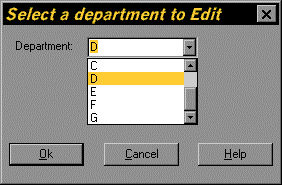
Figure 2.9. Select Department by Label Dialog Box
Select department D. Press Ok to edit the selected department or Cancel to cancel the Select Department dialog box and not to edit any department.