


The Select Graph command of the Algorithms menu displays the Select Graph dialog box which lets you specify the settings for the algorithm that will create a planar hexagonal adjacency graph for the current project. These algorithms are called graph algorithms. You must specify three algorithm settings: relationship tuple, improvement step procedure and tuple, and location tie breaker. The Graph Algorithm Selection dialog box is shown Figure 2.20. Select the Binary, Steepest Descent with Two Exchange and Centroid Seeking settings. When you press OK the graph algorithm will be executed with the current settings. If you press Cancel, no algorithm will be executed.
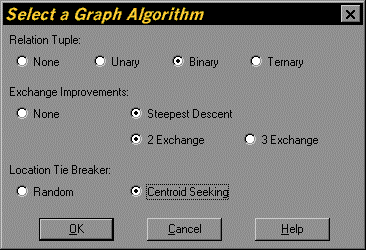
Figure 2.20. Select a Graph Algorithm Dialog