


Edit the relation between departments A and B. The Edit Relation dialog will be shown. Set the relationship value to 45. The Edit Relation dialog is shown in Figure 2.12. Press the OK button to accept the new value for the relationship between departments A and B.
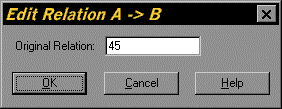
Figure 2.12. Edit Relation Dialog for the Tutorial Project
Repeat this for all the non-zero relationships shown in Table 2.2. The relationship values are shown in Figure 2.13. Press the OK button to accept all the changes to the relationships.
Table 2.2. Relationship Data for the Tutorial Project
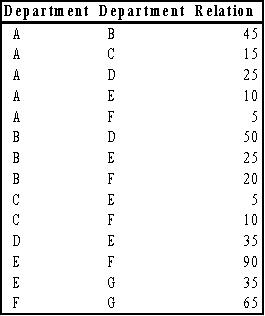
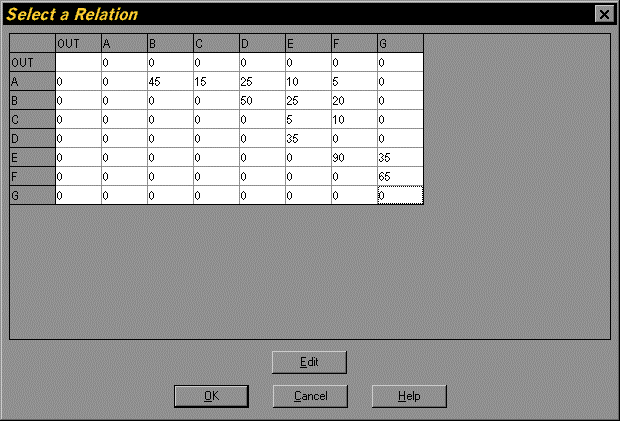
Figure 2.13. Select a Relation Dialog Window for the Tutorial Project