


Departments with long and narrow shapes are often not acceptable in layouts. The shape ratio of a department is the length to depth ratio of the smallest rectangle completely enclosing the department. While each department has its own maximum shape ratio depending on its function, we can specify the maximum allowable shape ratio for all the departments in this particular project with a single command. Select the Max Shape Ratio command from the Edit menu. The Edit Maximum Shape Ratio dialog will be shown. This dialog is illustrated in Figure 2.14. Set the maximum value to two. Press Ok to accept the new value.
When maximum shape ratio is changed with the Max Shape Ratio command of the Edit menu, the maximum shape ratio of all current departments and the default maximum shape ratio for all future departments is also set to this value. Use the Department command to change the maximum shape ratio for individual departments.
The perimeter ratio is the ratio of the current perimeter length of a department divided by the perimeter length of a square department with the same area. For rectangular departments there exists a one to one correspondence between the shape ratio and the perimeter ratio. The perimeter ratio is an output-only variable and you cannot set it.
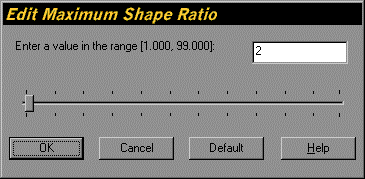
Figure 2.14. Edit Maximum Shape Ratio Dialog for the Tutorial Department